WhimTex user guide
Read from first document to final export, or jump directly to the tool you need.
Use WhimTex as a Unity texture editor for quick fixes and VFX textures, or as a sprite editor for small game graphics. Start with an image, arrange its layers, paint the details and save the result. Control names in this guide match the labels in the editor.
- Start here
- Layers and groups
- Transform and rasterize
- Brush, Pencil and Fill
- Area selections
- Symmetry and seamless painting
- Effect layers
- Blending and clipping
- Shader FX and Processor
- Preview and navigation
- Color, HDR and channels
- Game post-processing
- Save and export
- Keyboard shortcuts
- Automation
- Troubleshooting
For generated textures, also see Noise and Normal Map.
Create textures for VFX
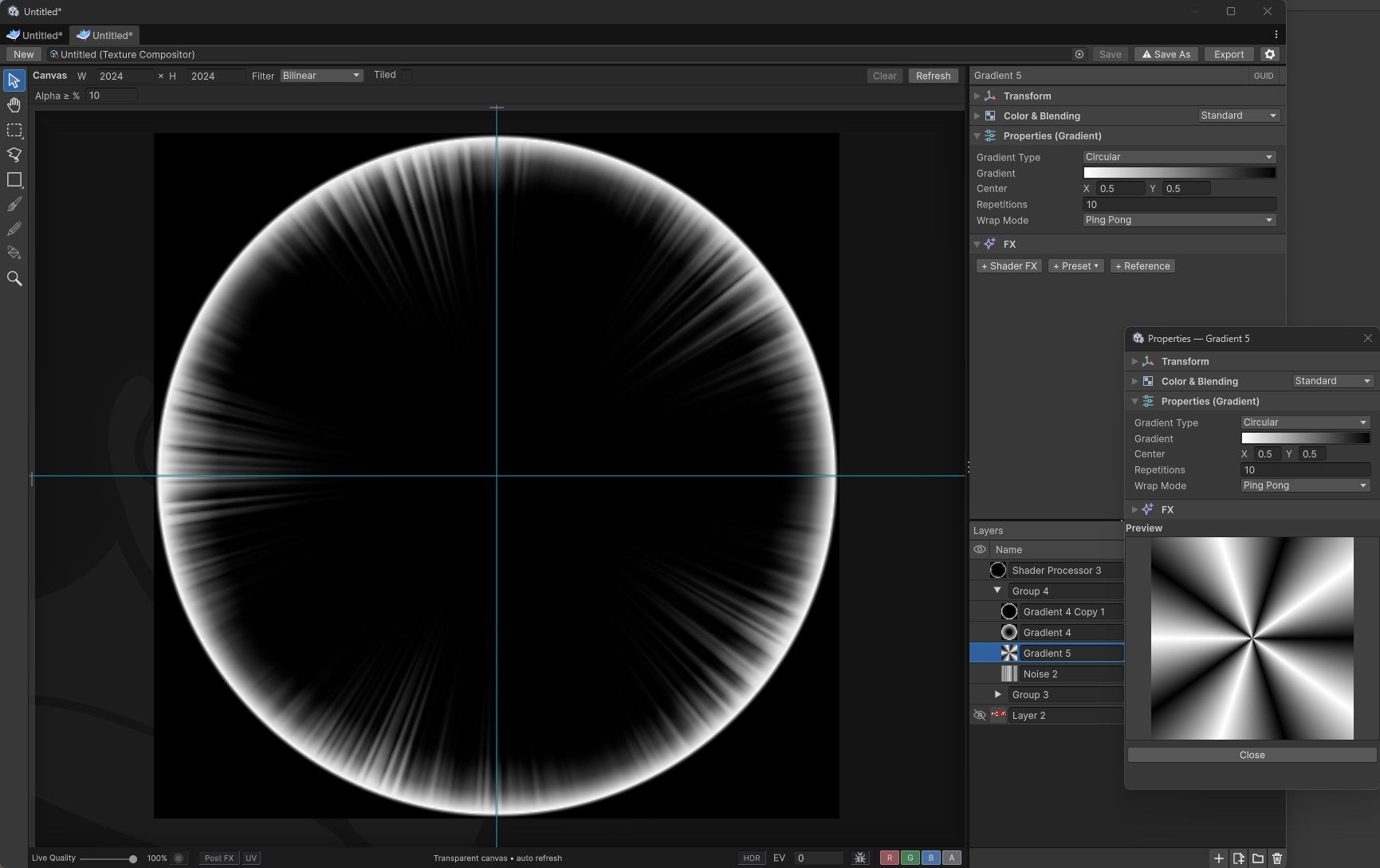
Combine gradients, Noise and Shader Processor to create masks for energy rings, bursts and other effects. This ring combines a bright rim with fine radial streaks; its layers let you adjust the shape and detail separately.